One private super app for your phone, tablet and computer. Free software, no account, no cloud: nothing leaves your devices.
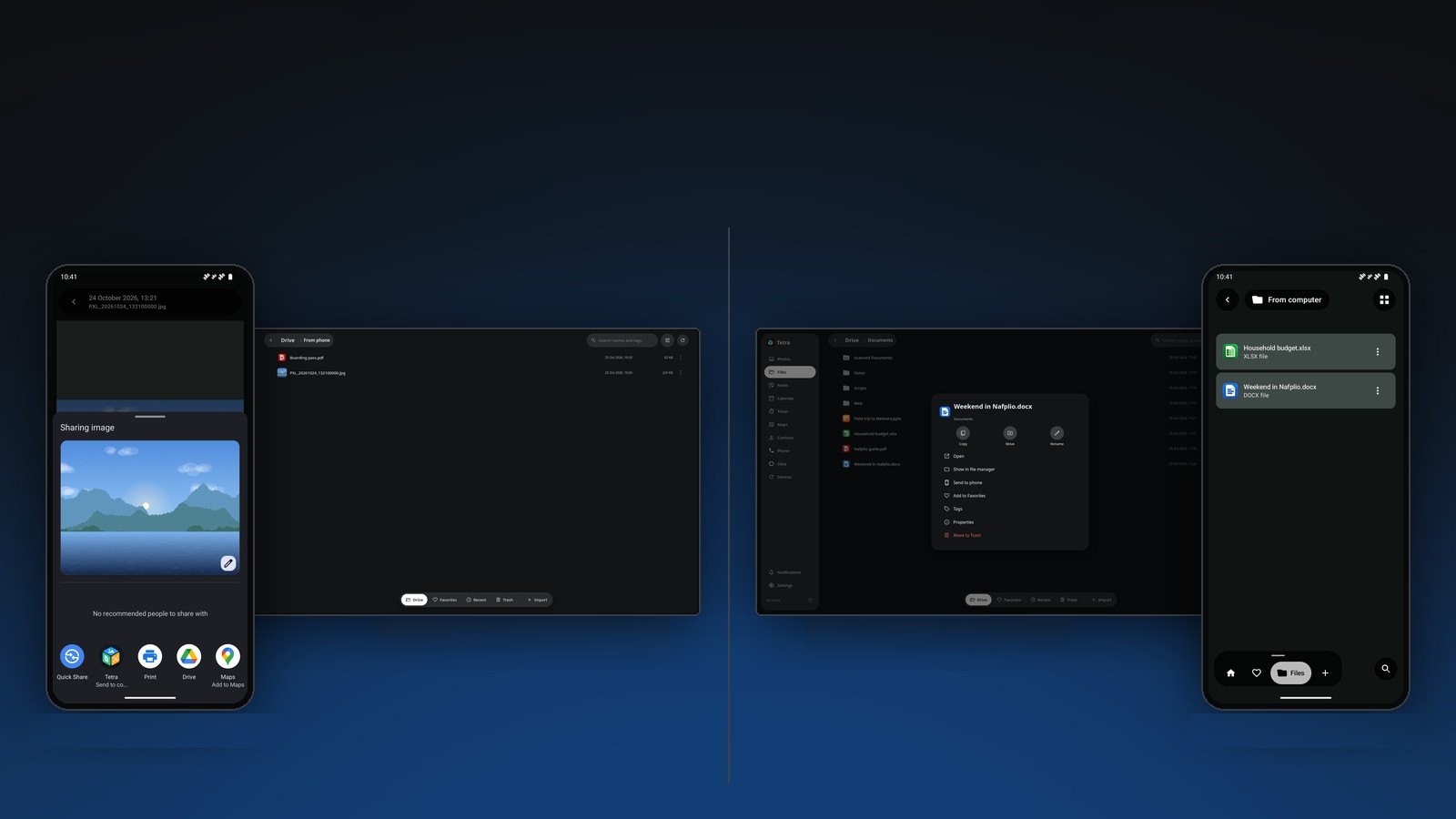
Share anything to Send to computer on the phone, or Send to phone on the PC. It goes over your own Wi-Fi: no cable, no cloud. If the computer is away, it goes when it is back.
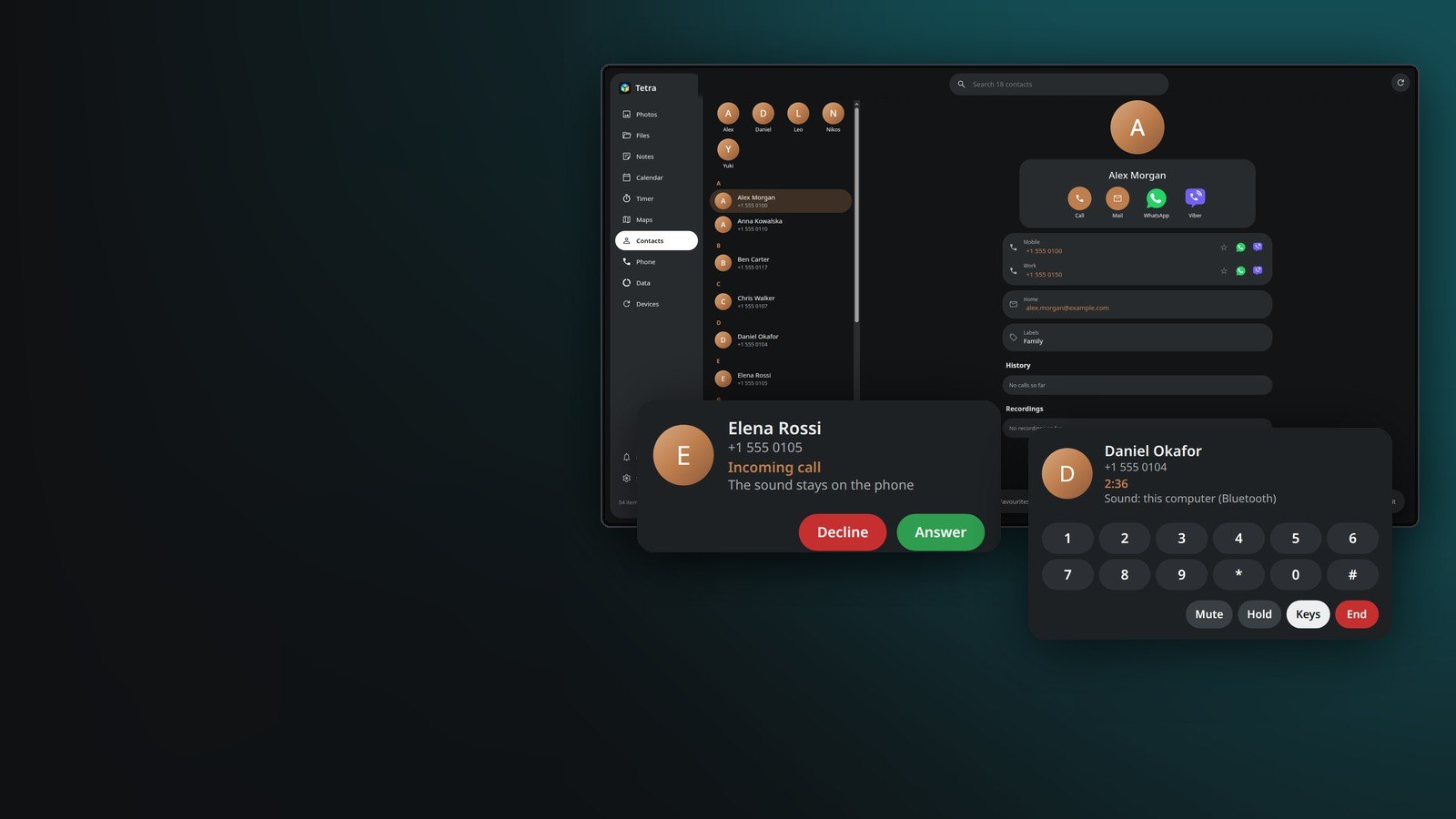
Click a number in Contacts on the PC and your phone dials it. A call bubble on the screen answers, holds, mutes, hangs up and moves the sound to the phone's loudspeaker.
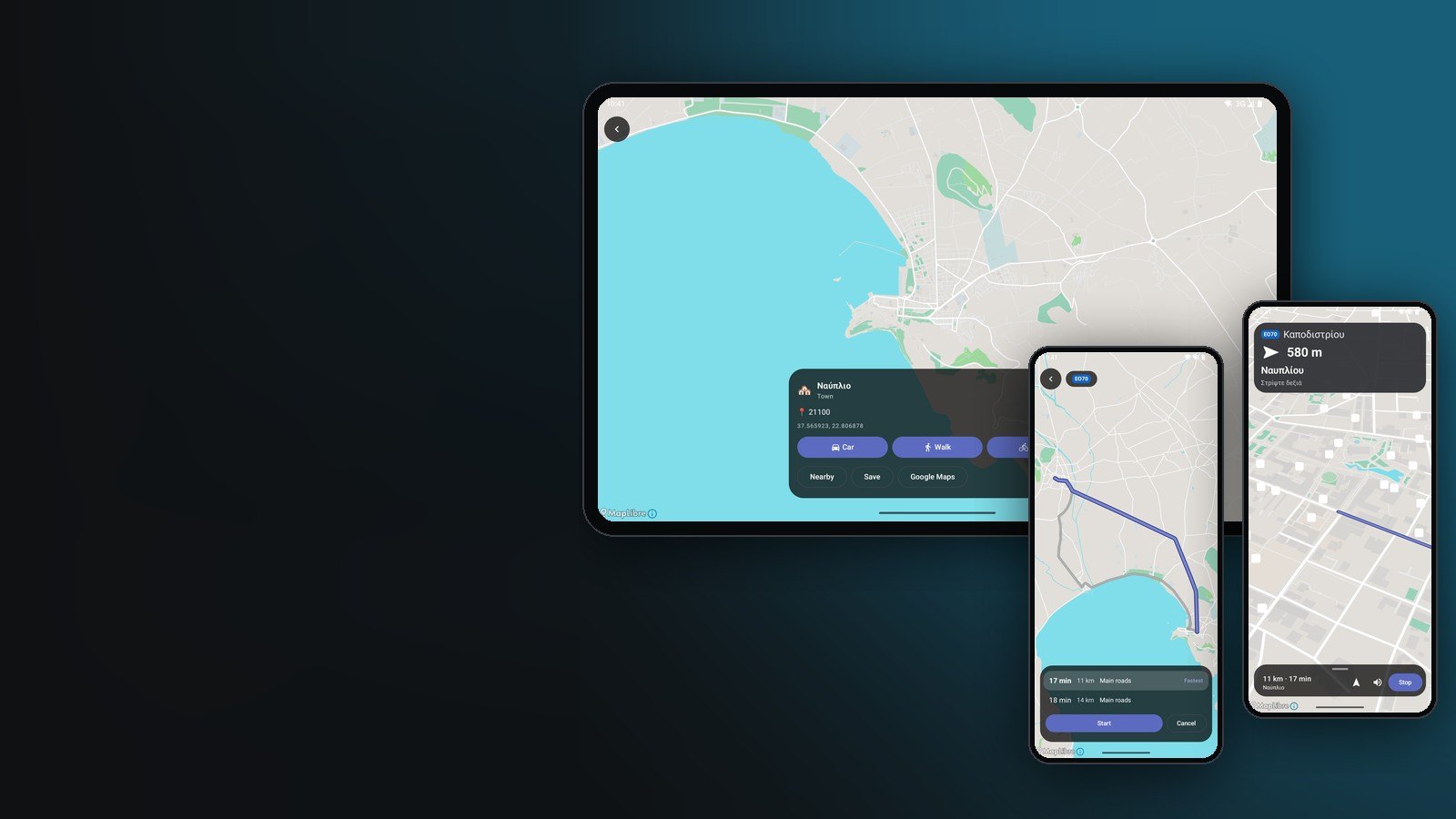
Pick a country on the computer: Tetra makes its map, search and routes from OpenStreetMap and sends them to your phone and tablet. Routes cross borders at the real crossings, with directions in your language.
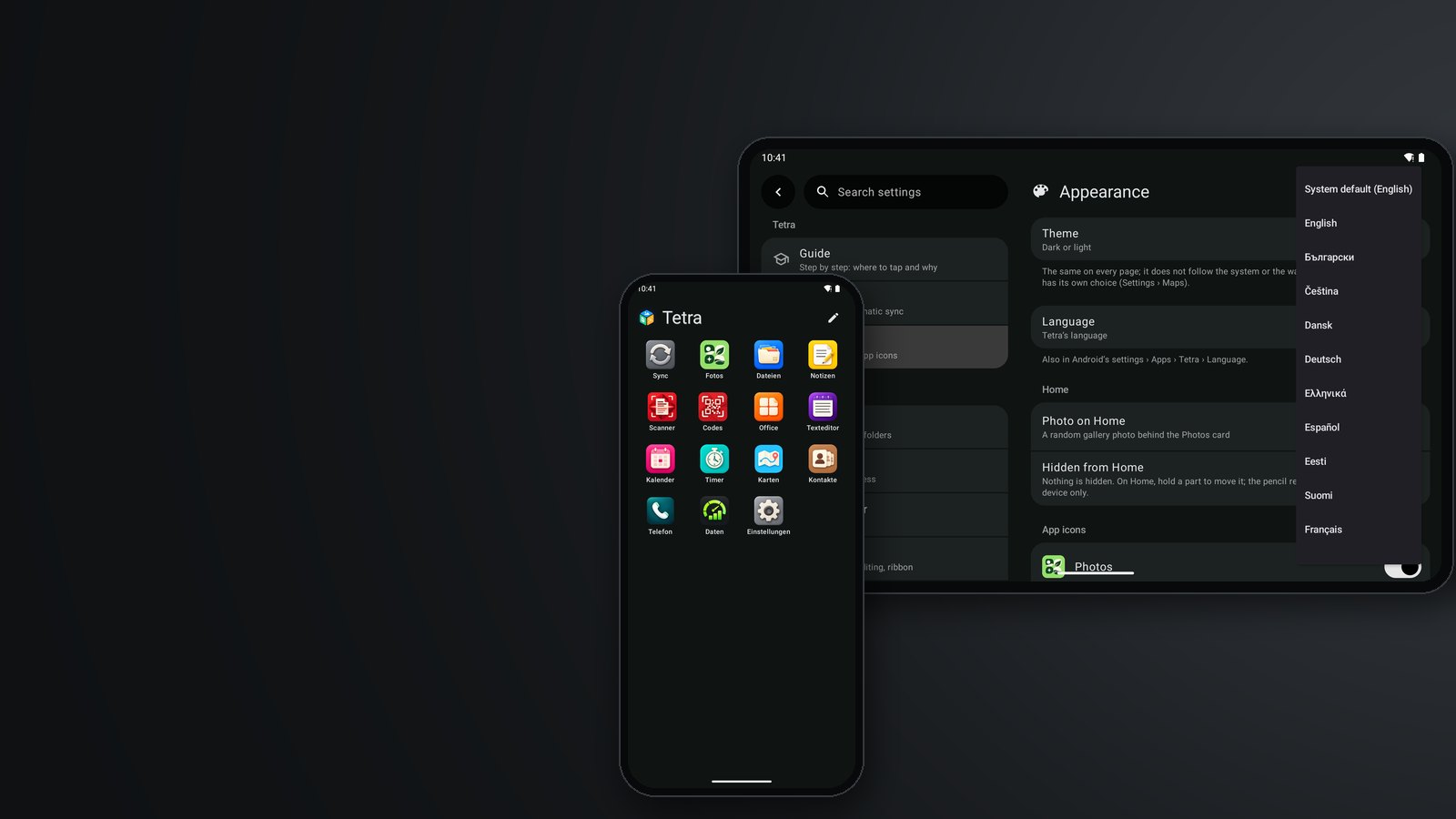
All 24 official languages of the EU. A guide on first start, and any time in Settings, shows where to tap and why, step by step.
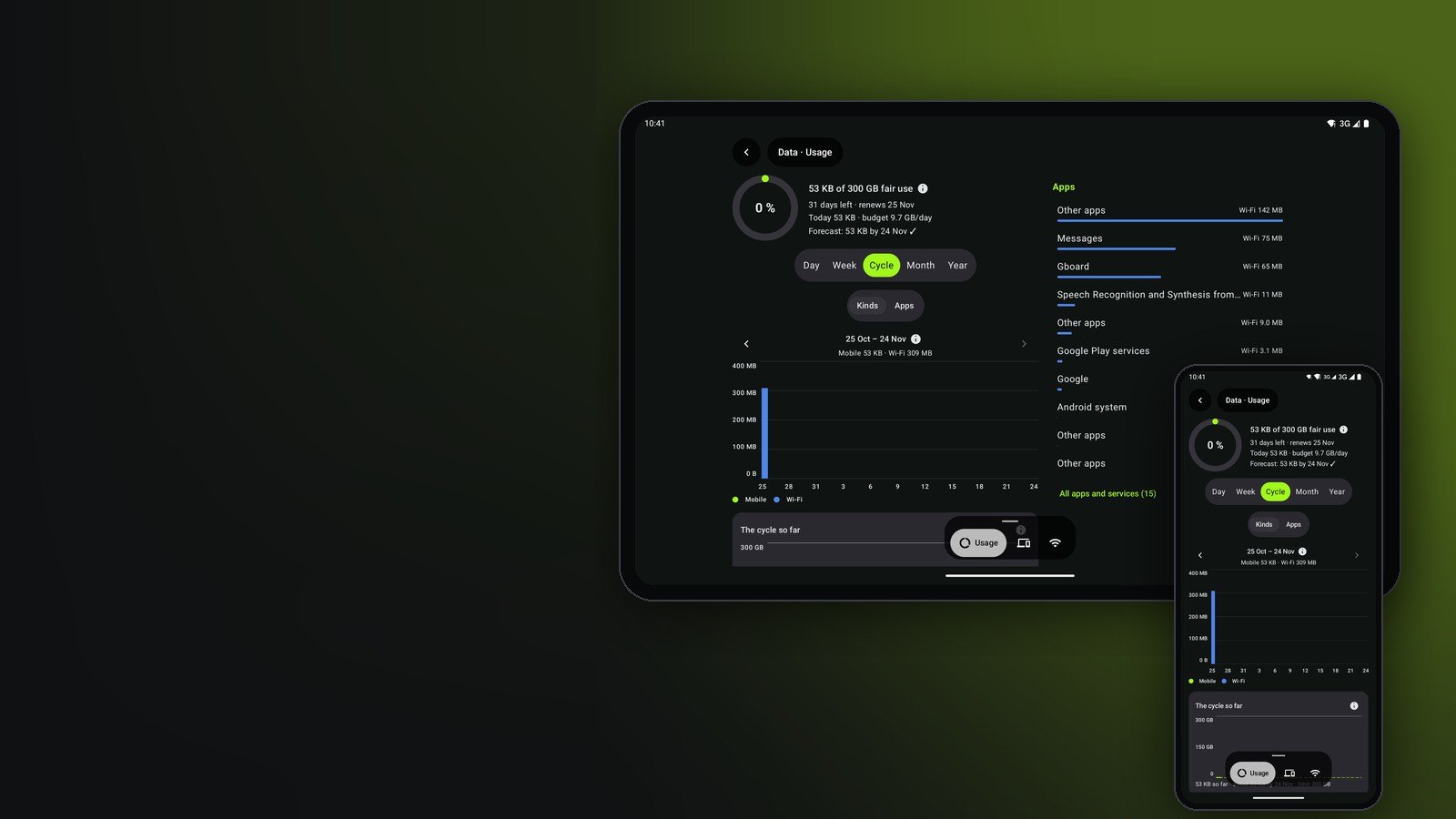
Tell Tetra your plan once. It notifies you at 50 %, 80 % and 100 %, or at any steps you choose, and forecasts the end of the month before you get there.
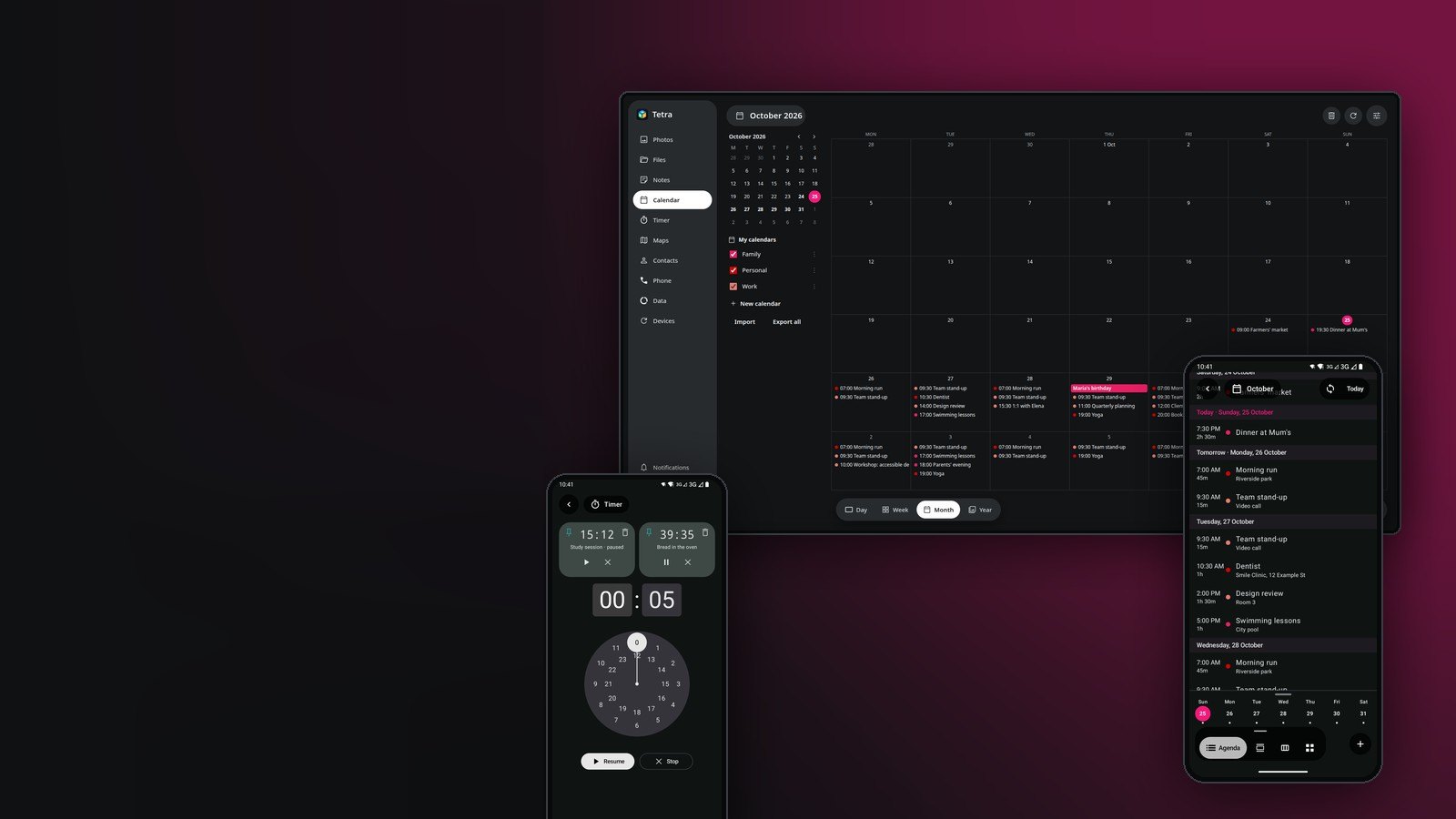
Built-in skills let Claude, ChatGPT or any assistant that can use your computer import a timetable, plan your week or start a timer. They simply edit the calendar's and timers' files.
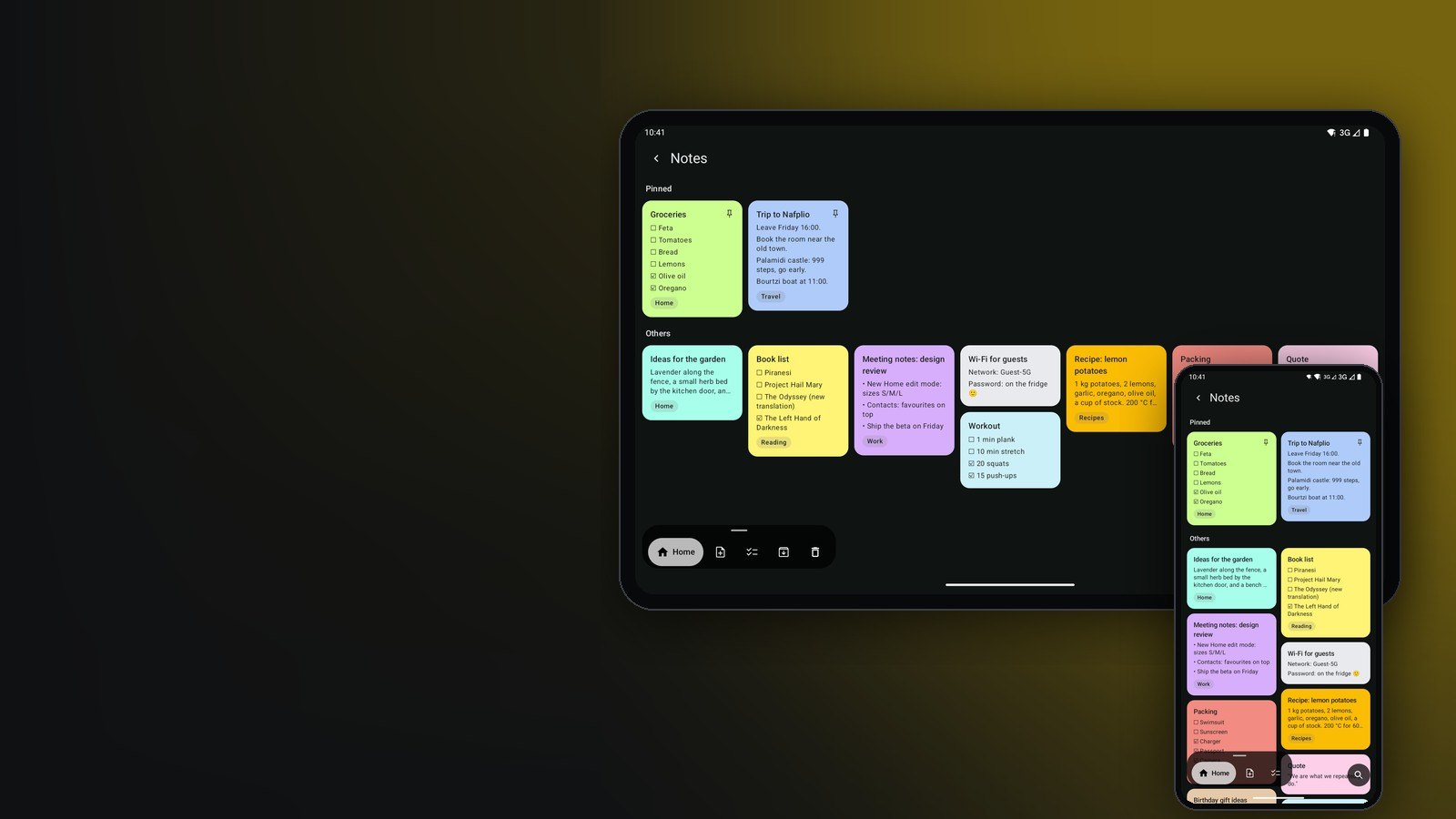
Keep your notes and shopping lists organised with tags and in sync between the phone and the computer. Each note is a plain file in your own Tetra folder.
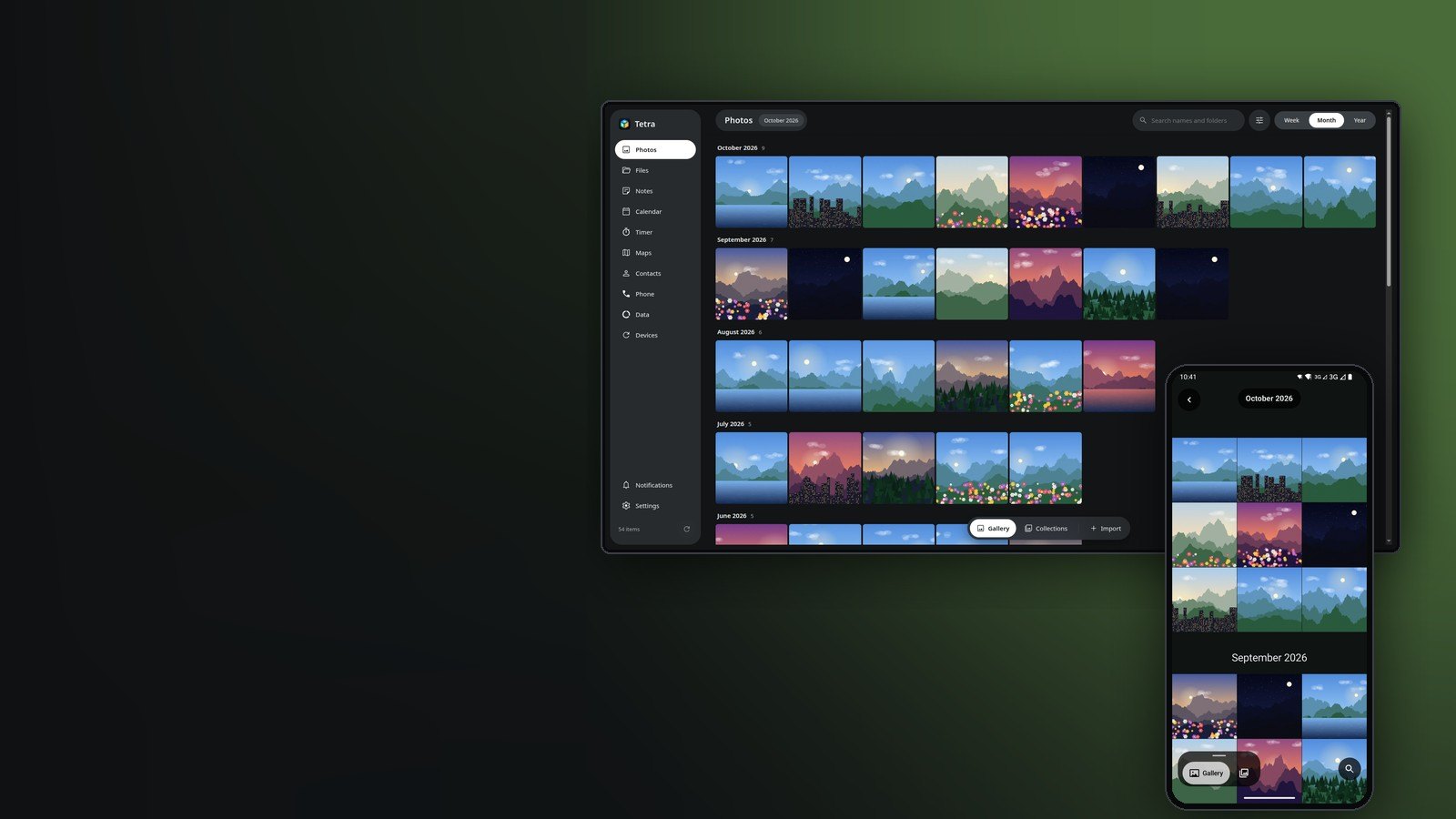
Tags, live photos, and People and Documents collections from face recognition that runs on the device. Find photos by place*, and bring your Google Photos over (Takeout import on the computer).
Filters and automatic cropping find and straighten the page: all the tools you need to make a perfect digital copy, for as many pages as you like.
Redact PDFs and photos so the hidden part is removed from the file itself, not just covered. Tetra finds the eyes in a photo and covers them with black bars or stars, and finds text to hide.
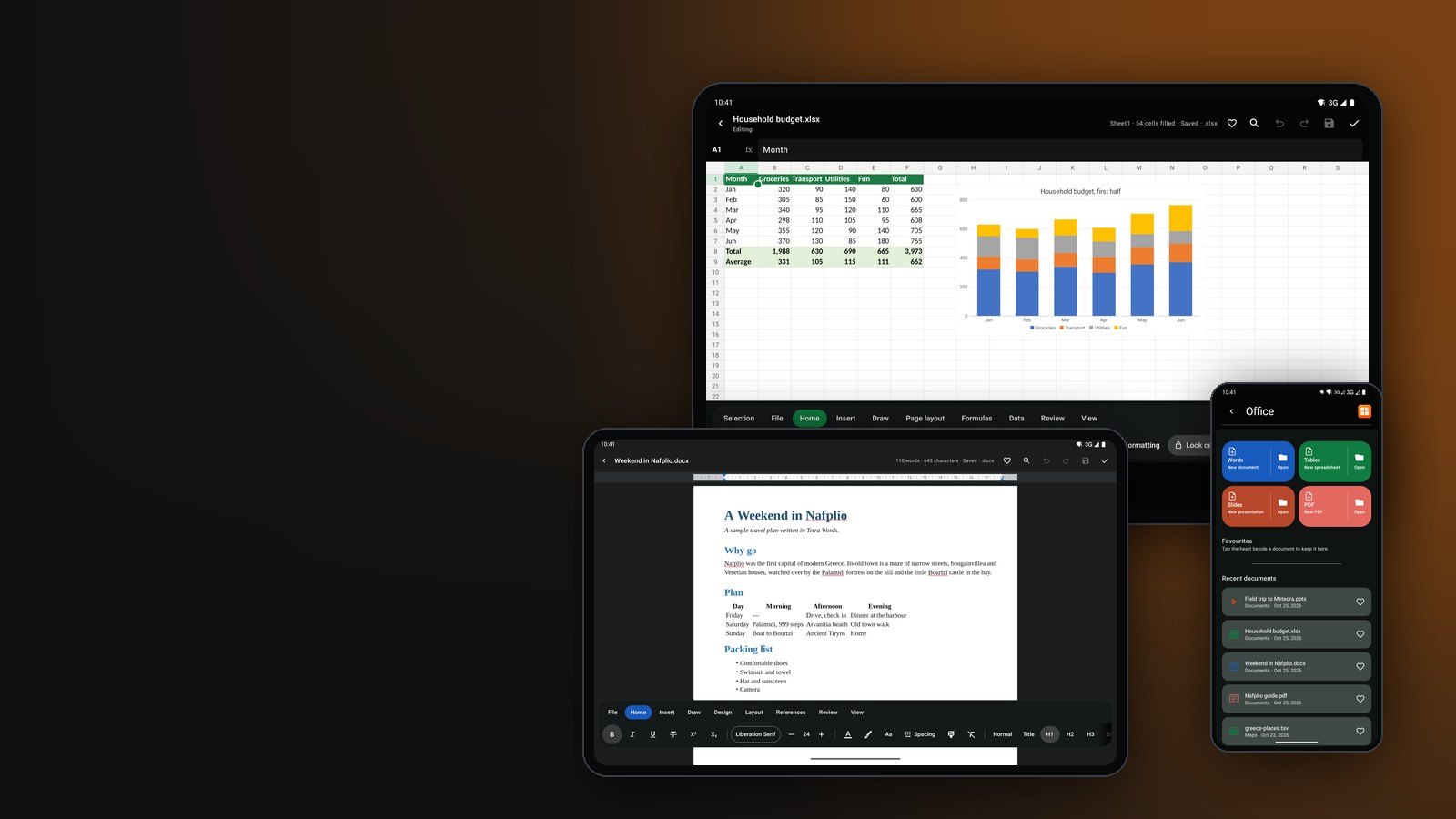
Word, Excel and PowerPoint open and save as themselves, compatible enough for everyday work. PDFs are edited the way Words edits, and films and sounds inside documents play. A phone layout you can actually use.
Pair an external drive with Tetra and it backs everything up automatically, or moves older photos onto it so the computer's own disk stays as empty as possible.
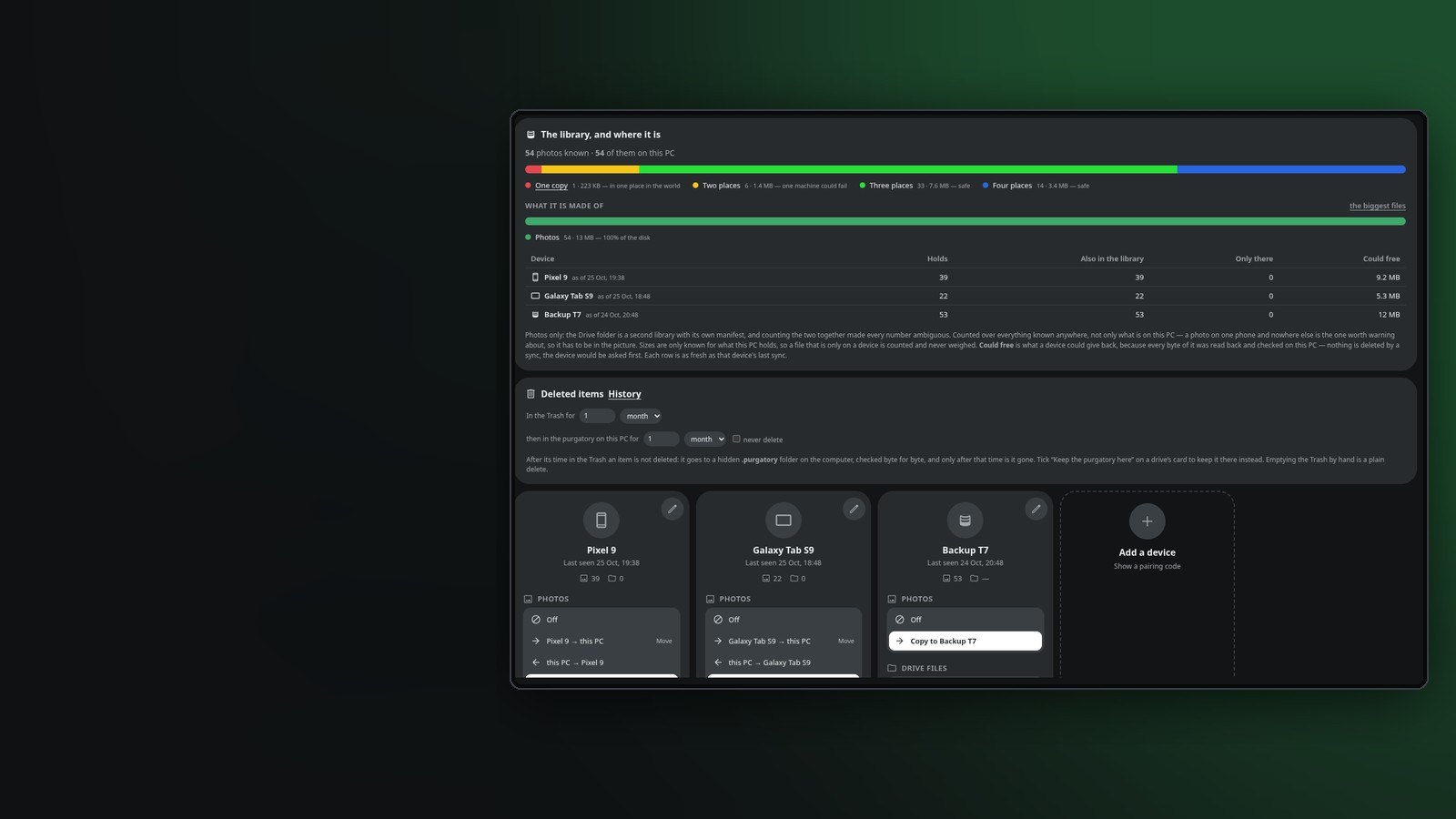
Tetra shows how many places hold each file, the phone, the tablet, the computer or a USB drive, and what still lives in only one. Your own backups, with no cloud plan to pay for.
*Finding photos by place covers Greece only for now.
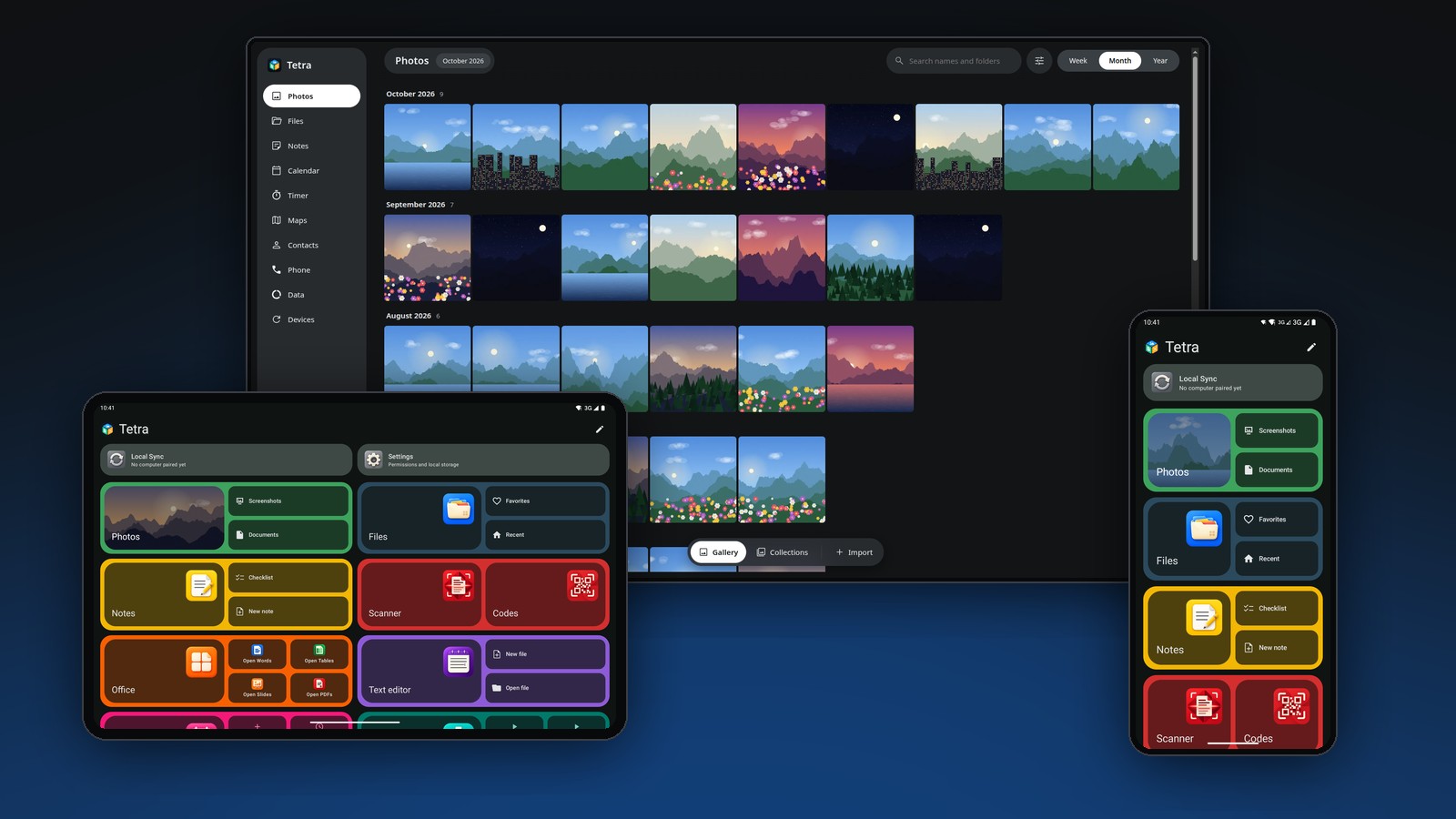
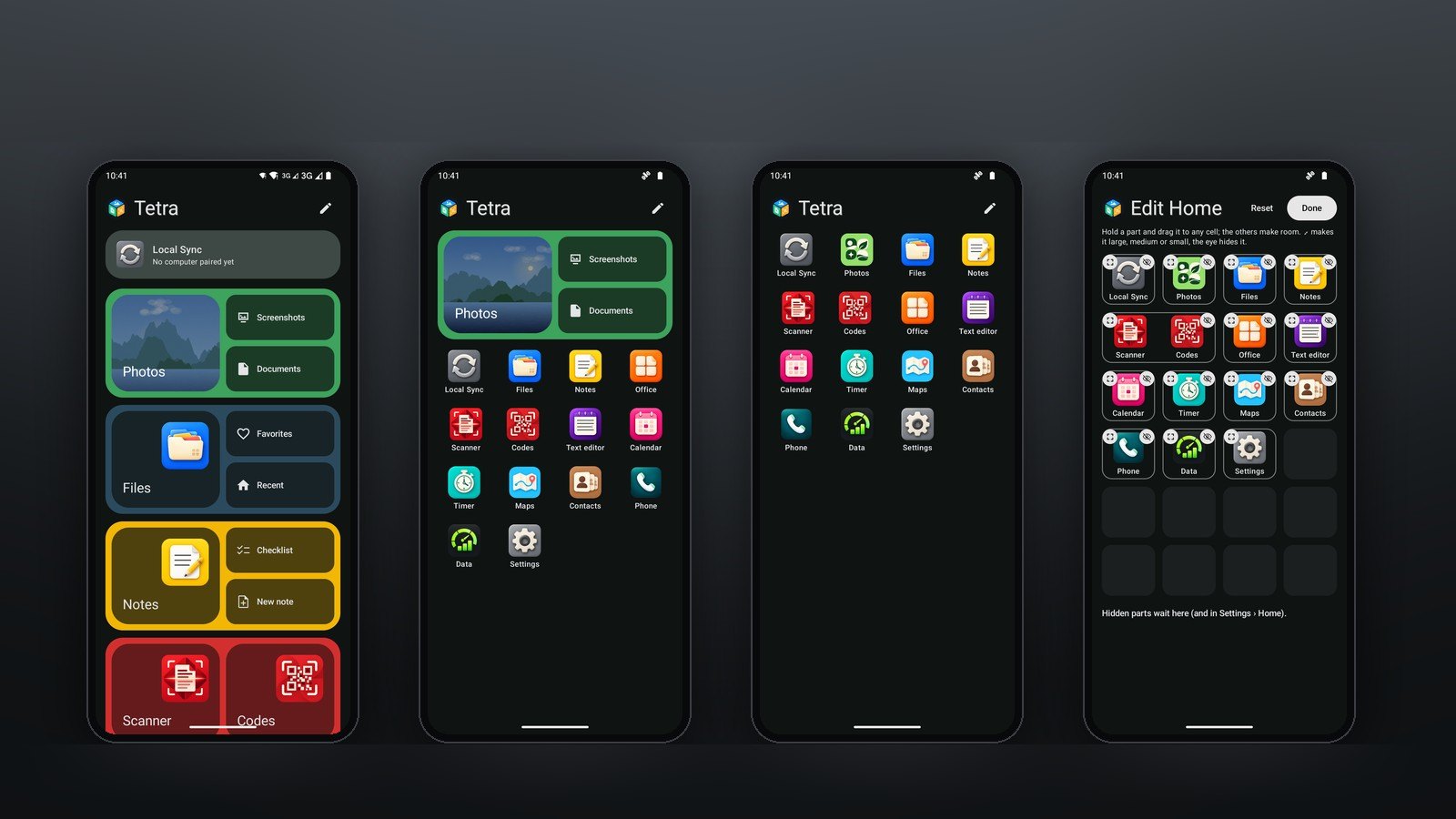
One Home, one folder, the same applets on Android and Linux. Also inside: Scanner, Codes and a Text editor.
GroupsA mix
Icons onlyEdit modeGroups, a mix, or icons only. Drag a part to any cell, make it large, medium or small, or hide it.

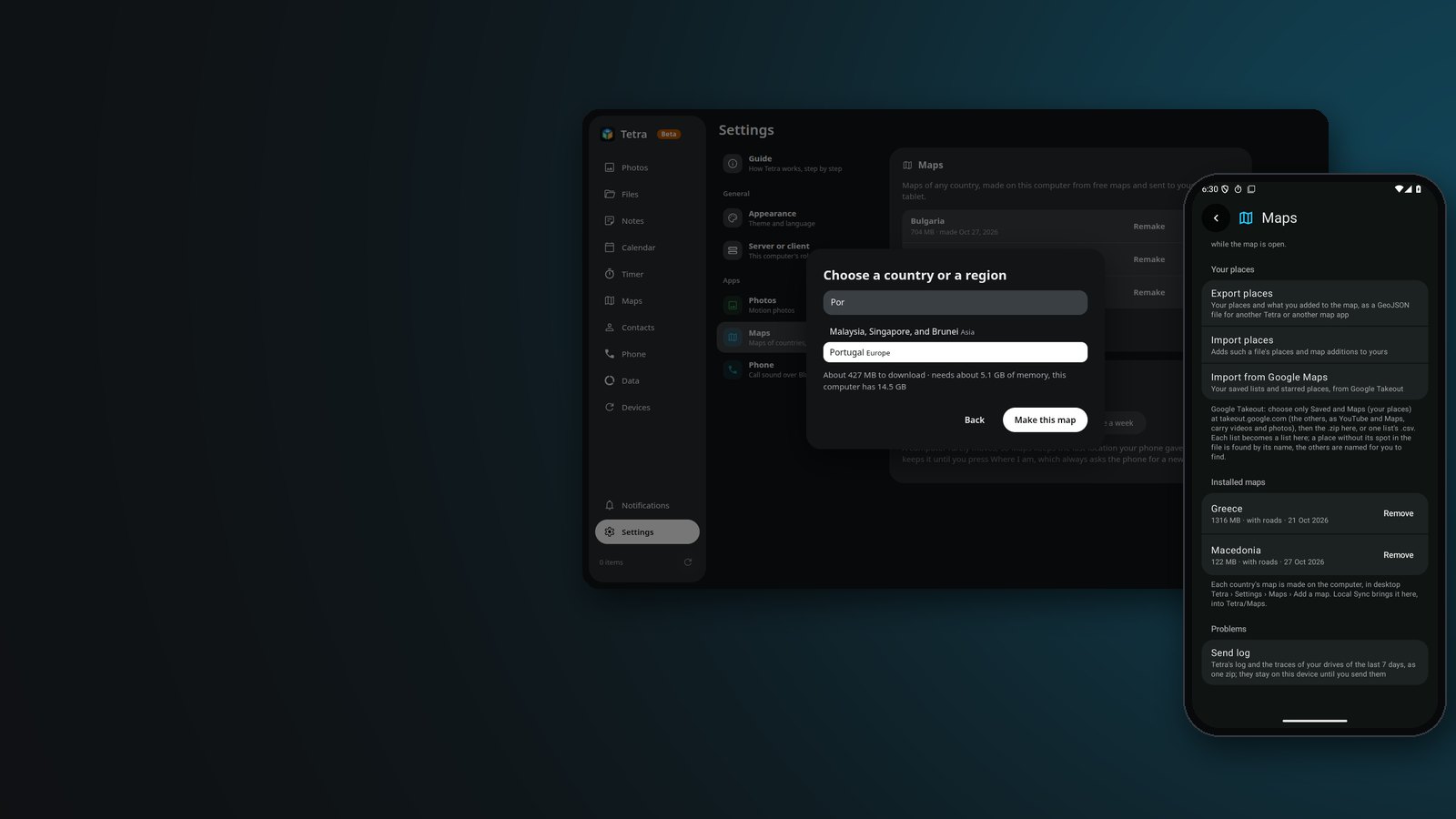
MapsPick a country or a region in Settings › Maps. Your computer makes its map, search and routes from OpenStreetMap, and sync brings them to your phone and tablet. When a map is three months old, Tetra offers to remake it.

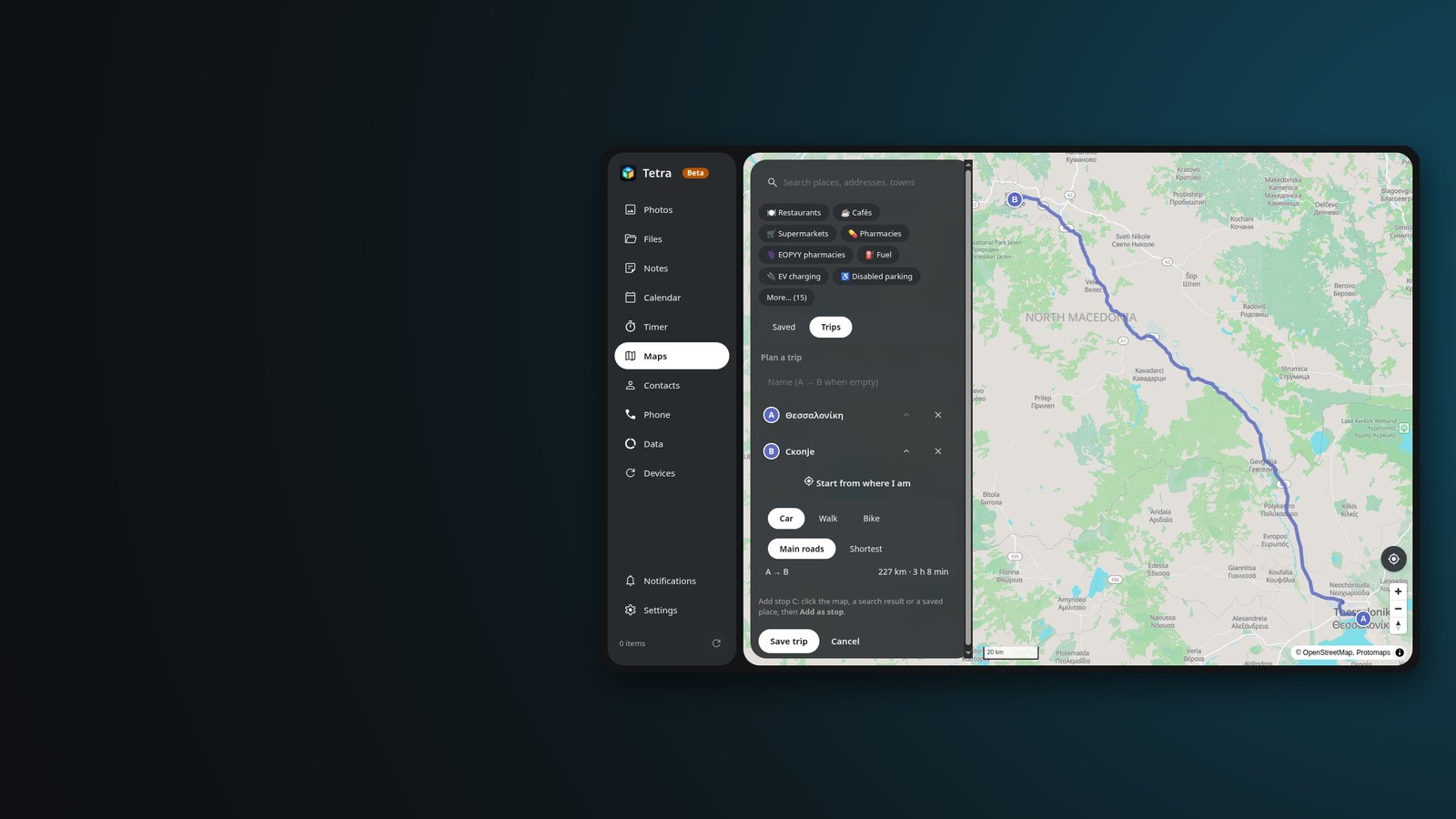
MapsWith the neighbouring country's map too, a route crosses at the real border crossings, on the main road. Directions in your language, in kilometres or miles.

MapsSearch and places, routes by car, on foot or by bike, and turn-by-turn voice guidance, all on the device. No account, no tracking.

PhotosTimeline, collections, people, documents found for you, a map and an editor. Faces and labels are worked out on the device.

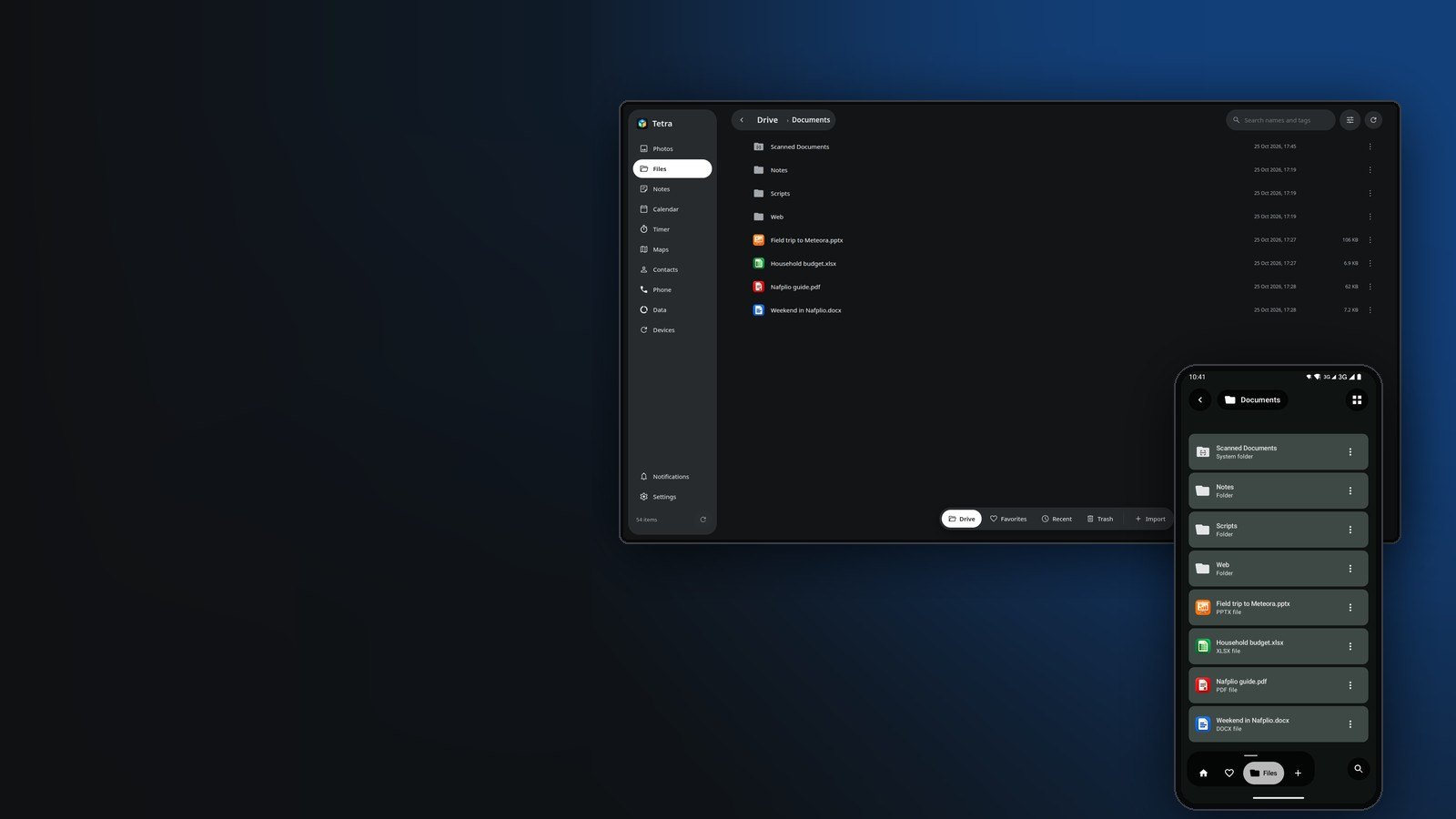
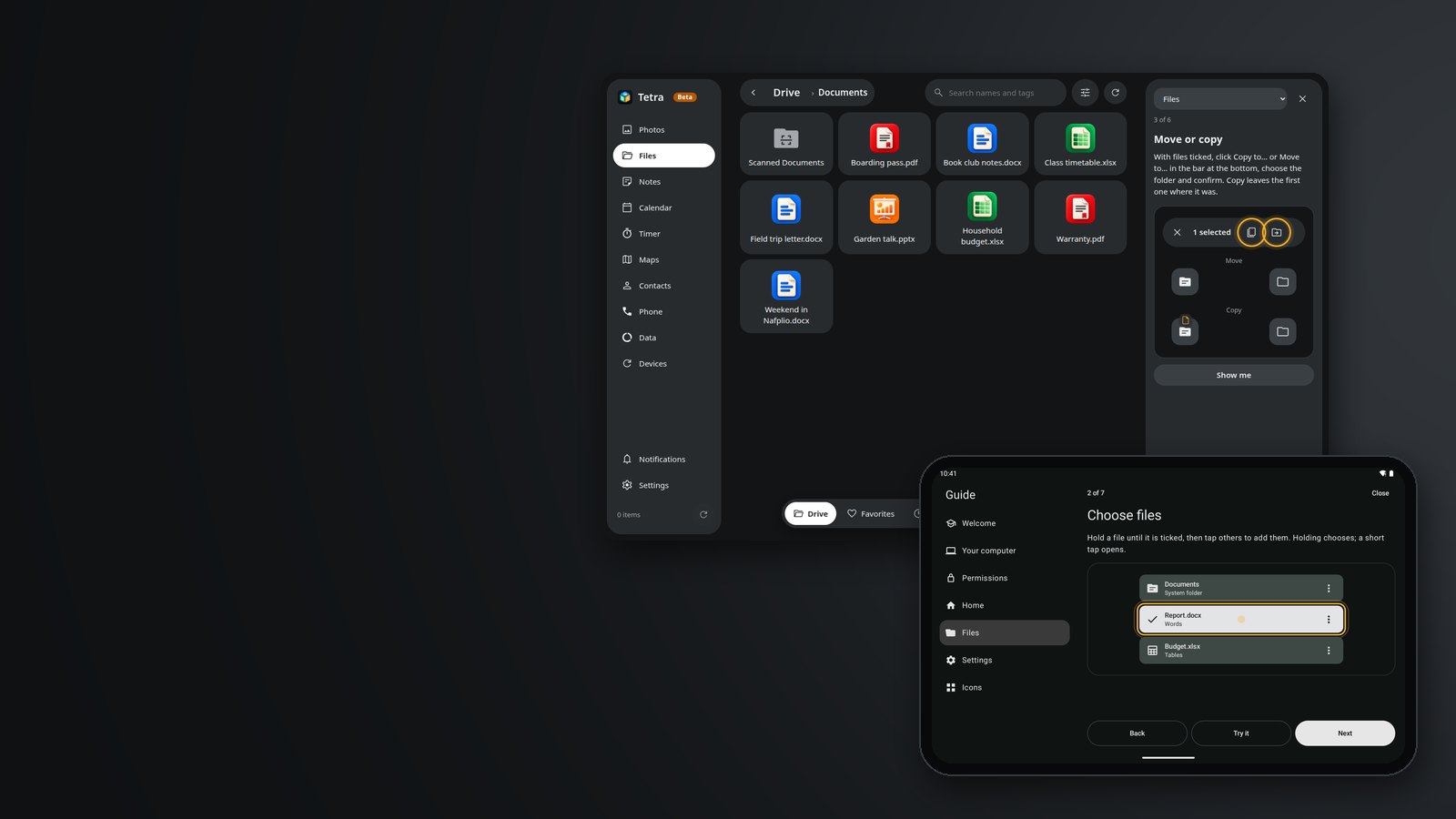
FilesA file manager for your Tetra folder: tags, favourites, folder colours, Trash, thumbnails and system folders.
From the phone to the computer
From the computer to the phone
1. Share › Send to computer2. On the PC: Files › From phone
1. On the PC: Send to phone2. Files › From computerOver your own Wi-Fi: no cable, no cloud, no account. If the other side is away, the file waits and goes when it is back.

NotesColours, labels, pins and a history of each note. Keyboard shortcuts on a tablet. They sync with the computer.

OfficeReal pages with rulers, the ribbon, charts and themes. Files open and save as themselves. PDFs are edited the way Words edits, with notes, signatures, forms and redaction; films and sounds inside documents play.

Calendar · TimerPlain iCalendar files: day, week, month and agenda, reminders, birthdays from Contacts. Timers ring on every device.

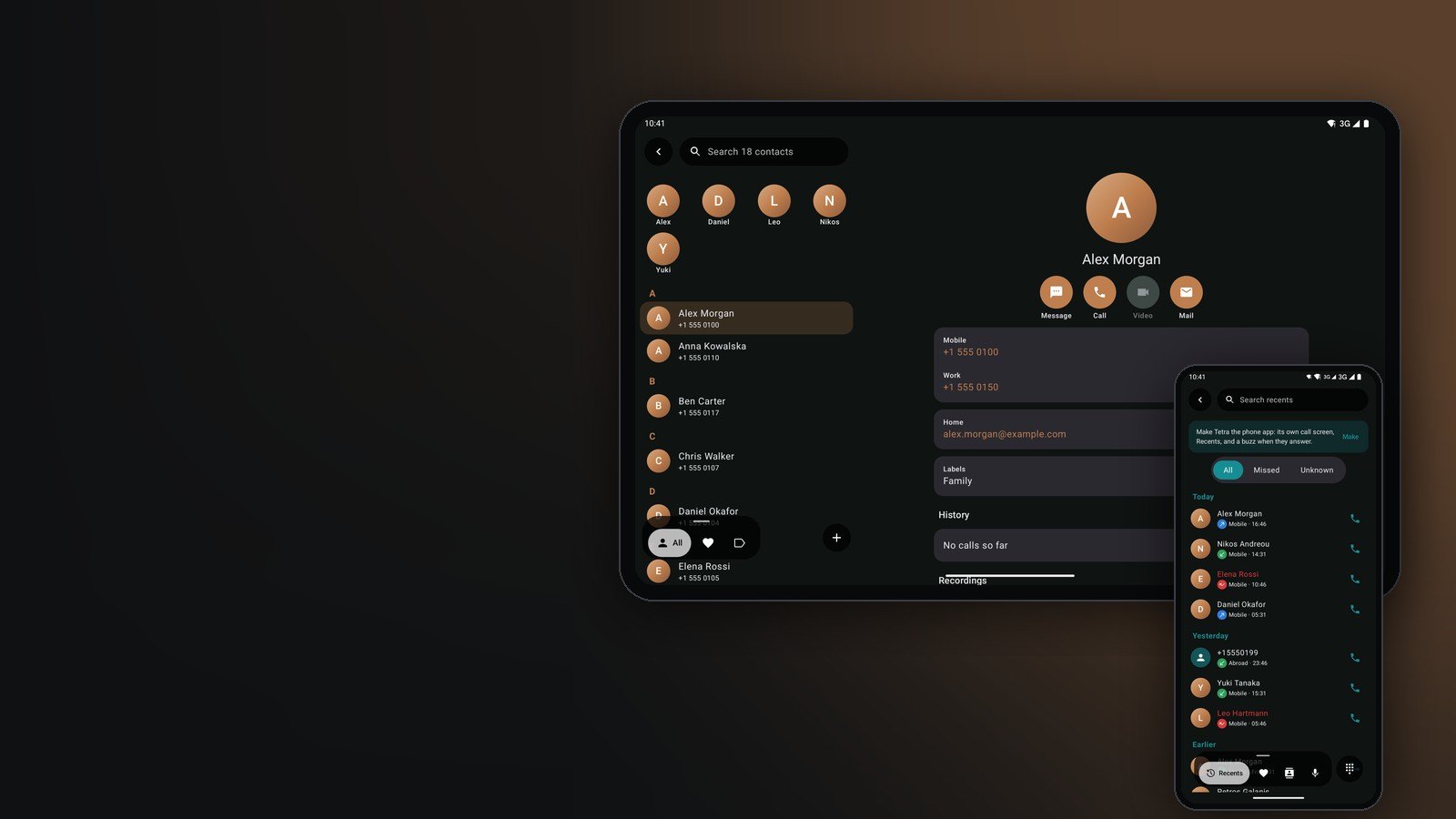
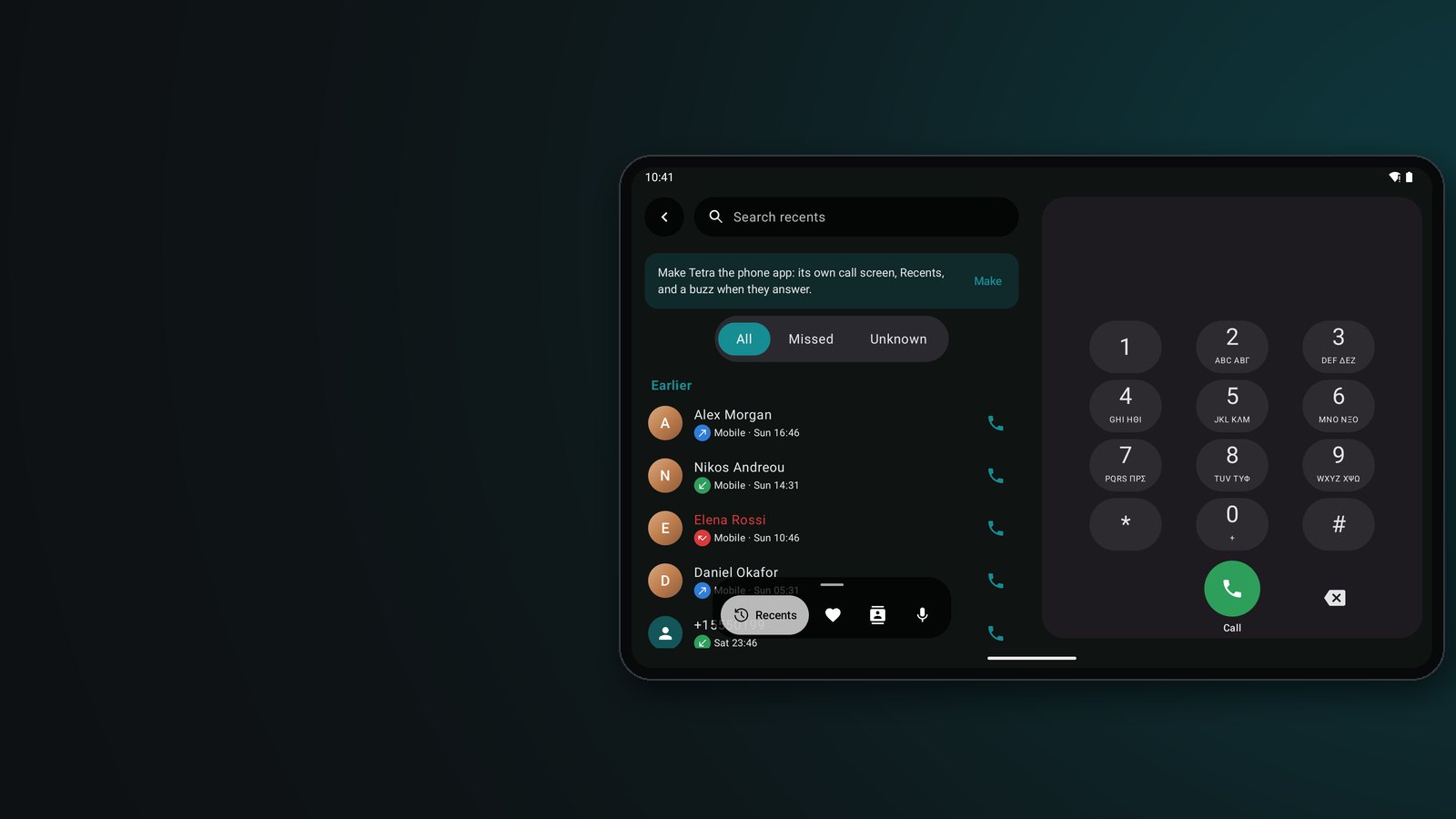
Contacts · PhoneYour contacts as vCard files, with faces from Photos. A dialer with Recents and spam lookup; call from the computer through the phone.
Someone is callingIn a call, the keypad open
PhoneClick a number in Contacts and your phone dials it. When someone calls, a bubble on the screen lets you answer, hold, mute, type digits, move the sound to the phone's loudspeaker or hang up, while the phone stays in your pocket.

PhoneRecents on the left, the keypad always open on the right. Numbers are read by your country's code, landlines are named by place from your maps, and Call blocking keeps a list of its own.

Devices · DrivesTetra shows how many places hold each photo, and what still lives in only one. Pair a USB drive for automatic backups, or move old photos onto it to keep the computer's SSD light.

DataHow much each app uses on mobile and Wi-Fi, plan alerts before it runs out, and the phone, tablet and computer together.

GuideOn first start and in Settings › Guide: where to tap and why, step by step. The pictures move to show what happens, and Try it keeps the step in view while you do it for real.

SettingsAll 24 official languages of the EU, on the phone and the computer. Tetra follows your system's language unless you choose another in Settings › Appearance.
Screenshots use invented sample data.
Every applet was measured on a phone and reworked until it opens in a blink. Time until the screen shows its content, before and now:
Grey: before · colour: now. On the computer, Photos opens again in 71 ms instead of 741.
Install it on your phone and your computer, pair them once with a QR code, and they sync over your own Wi-Fi.
Phones and tablets, Android 11 or newer.
Source and details on GitHubLinux: an AppImage for most distributions, or a .deb for Debian, Ubuntu and Mint. It waits in the tray for your phone.
Source and details on GitHubEach phone maker words these steps a little differently, but the steps are the same. Updates install the same way, over the old version, and keep everything.
Download Tetra only from this page or from its GitHub releases. Every release is signed with the same key, and Android installs an update only if it carries that signature. The source code is public for anyone to read.
Download it, right-click it › Properties › Permissions › Allow executing file as program (or run chmod +x Tetra-*.AppImage), then double-click it. On Debian, Ubuntu and Mint the .deb opens in your software installer, or installs with sudo apt install ./local-drive-desktop_*_amd64.deb.
No. Tetra works alone on a phone or a tablet. With the desktop app your files sync over your own Wi-Fi, and the computer makes the maps of any country.
No. Tetra is free software (GPL 3.0): no account, no ads, no tracking. Nothing leaves your devices.
In one folder: Tetra on the phone's storage and ~/Tetra on the computer. They are plain files, photos, documents, notes, calendars (.ics) and contacts (.vcf), that other apps can open too.